


Free up space
Clean out junk files and reclaim storage




CleanMyMac
See all your cloud files sorted by size, decide what you actually need, and clear the rest.
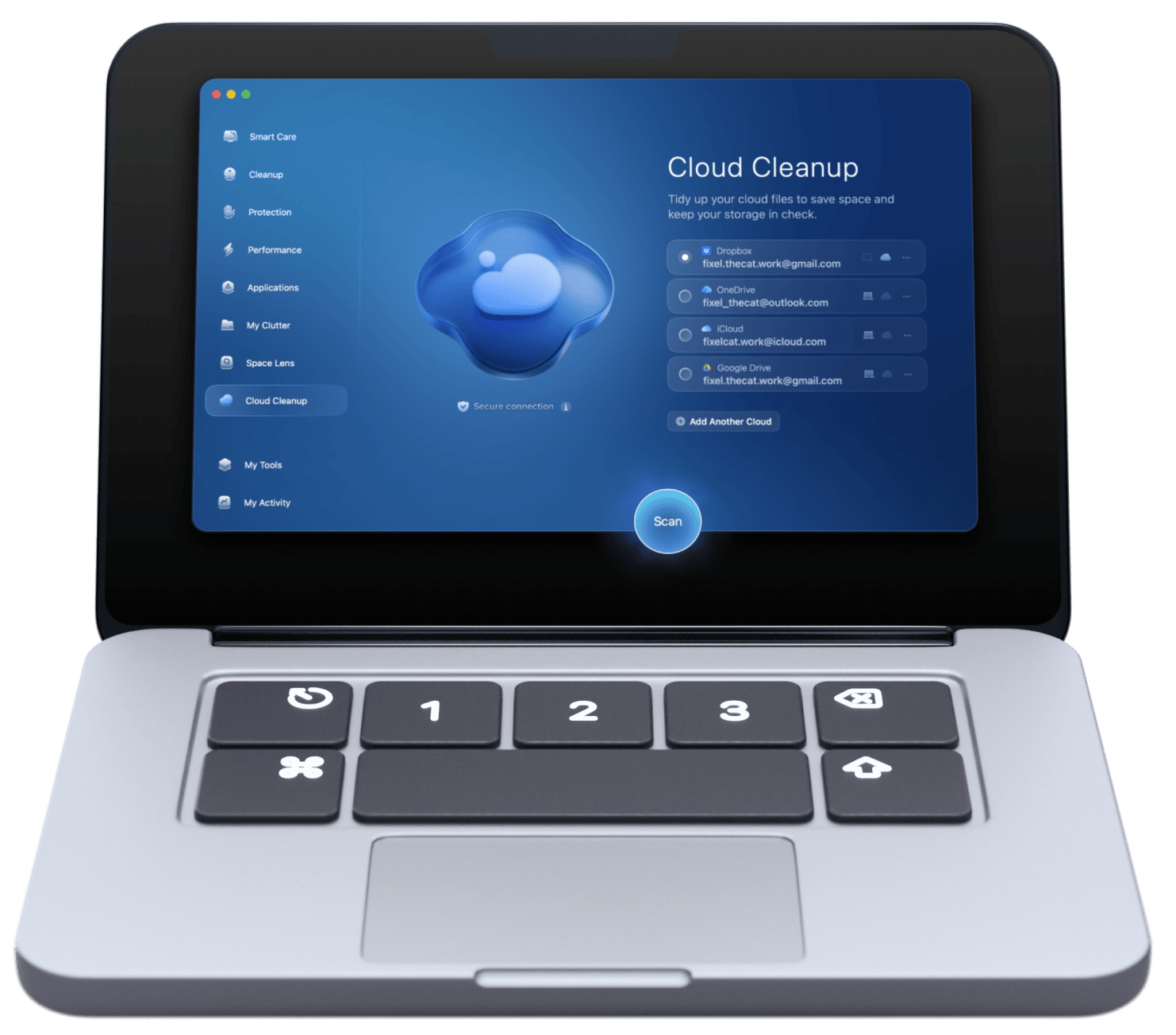
The "iCloud storage full" notification always shows up at the worst time: right before a backup, or when new photos refuse to sync. CleanMyMac scans your iCloud and reveals what's actually taking up space. Go through files and folders, decide what stays, and clear the rest, including the local copies left on your Mac.


Scan your cloud

Delete local copies

Review before deleting
That 50 GB plan fills up faster than it should. A storage upgrade feels fine, until your cloud is packed with stuff you don't even recognize anymore. CleanMyMac identifies the largest files in your cloud so you can reclaim enough space to skip that upgrade entirely.


Identify large files

Filter by kind & size

Cancel storage upgrade
CleanMyMac starts with iCloud cleanup, but never stops there: you can clear other clouds as well, saving space on your Google Drive, Microsoft OneDrive, and Dropbox. Connect your account and manage all your files from one place, instead of jumping between three tabs in your browser.


All clouds, one place

Free up space you pay for

Clear cloud clutter
There's something satisfying about a clean cloud, and your Mac can feel the same way. CleanMyMac turns your entire local storage into a visual map, sizing every folder by how much space it actually takes. The biggest ones appear straight at the top, so you always know exactly where to start.


Visualize your storage

Locate heavy files & folders

Clean up your entire Mac
Your inbox fills the same way your cloud does, with things you never actually read: sale alerts, newsletters you signed up for once, updates from stores you've long forgotten. CleanMyMac gathers every sender you're subscribed to into one list, so you can delete old promos in bulk and unsubscribe from the rest.

Declutter your inbox

Review and unsubscribe

Clear old promos
Clean out junk files and reclaim storage
Correctly remove and update applications

Speed up boot time and free memory

Scan and neutralize Mac-specific threats


I do think you should check out CleanMyMac, regardless of how new or old your Mac is.
Read full review
MacPaw’s CleanMyMac is the best Mac utility on the market bar none. I wouldn’t dream of not having it on my Mac.
Read full review
The new CleanMyMac truly serves as the go-to central place for all Mac users’ needs.
Read full review
With sixteen years in the business, MacPaw delivers the goods.
Read full review
Welcome to the first Mac care newsletter you’ll love
Sharing exclusive offers and spreading some Mac wisdom along the way.
Thanks for signing up!
You’re almost done. Now, please check your email.
Oops! Something went wrong!
Please try again later.